
 BeforeAfter
‹ ›
01
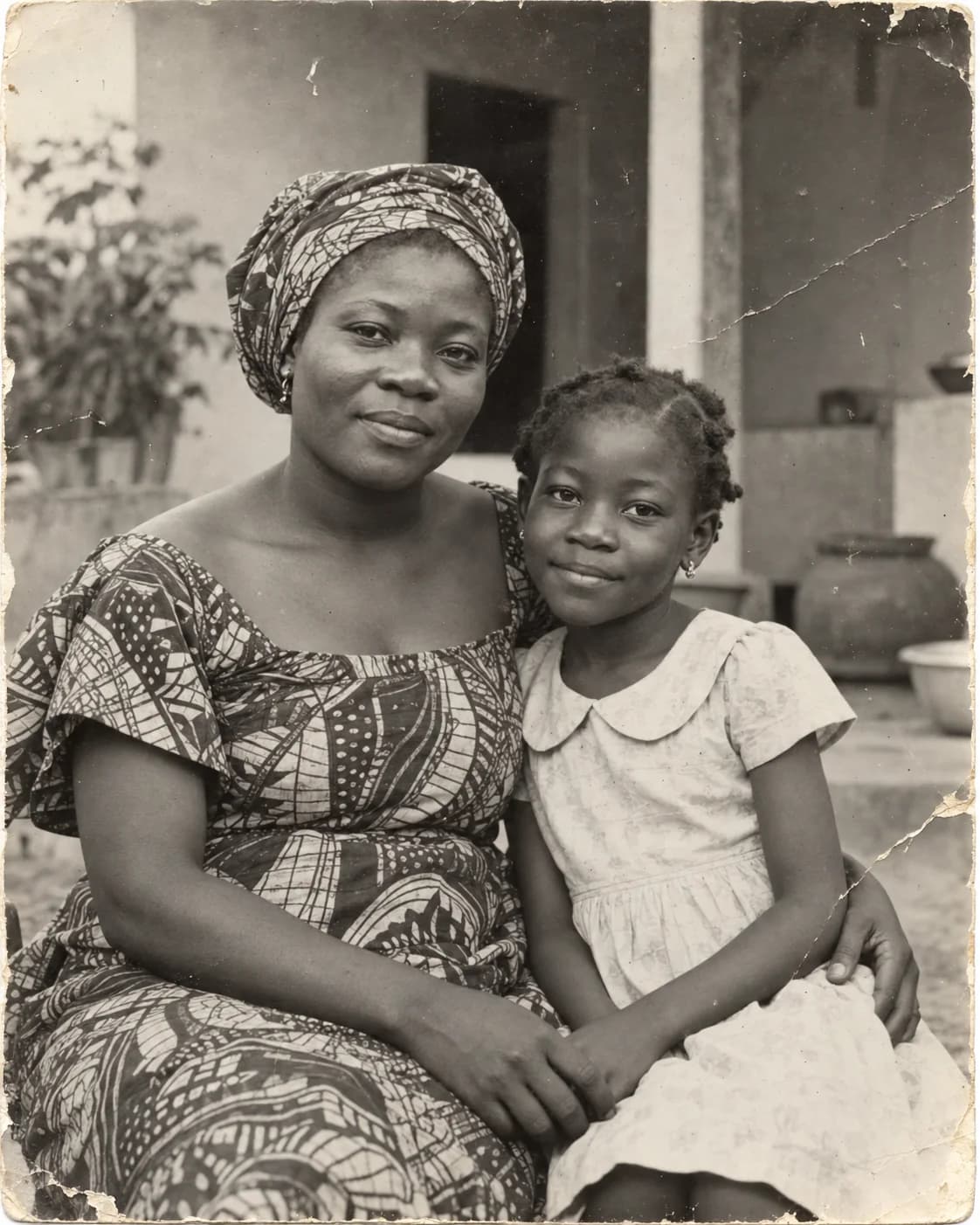
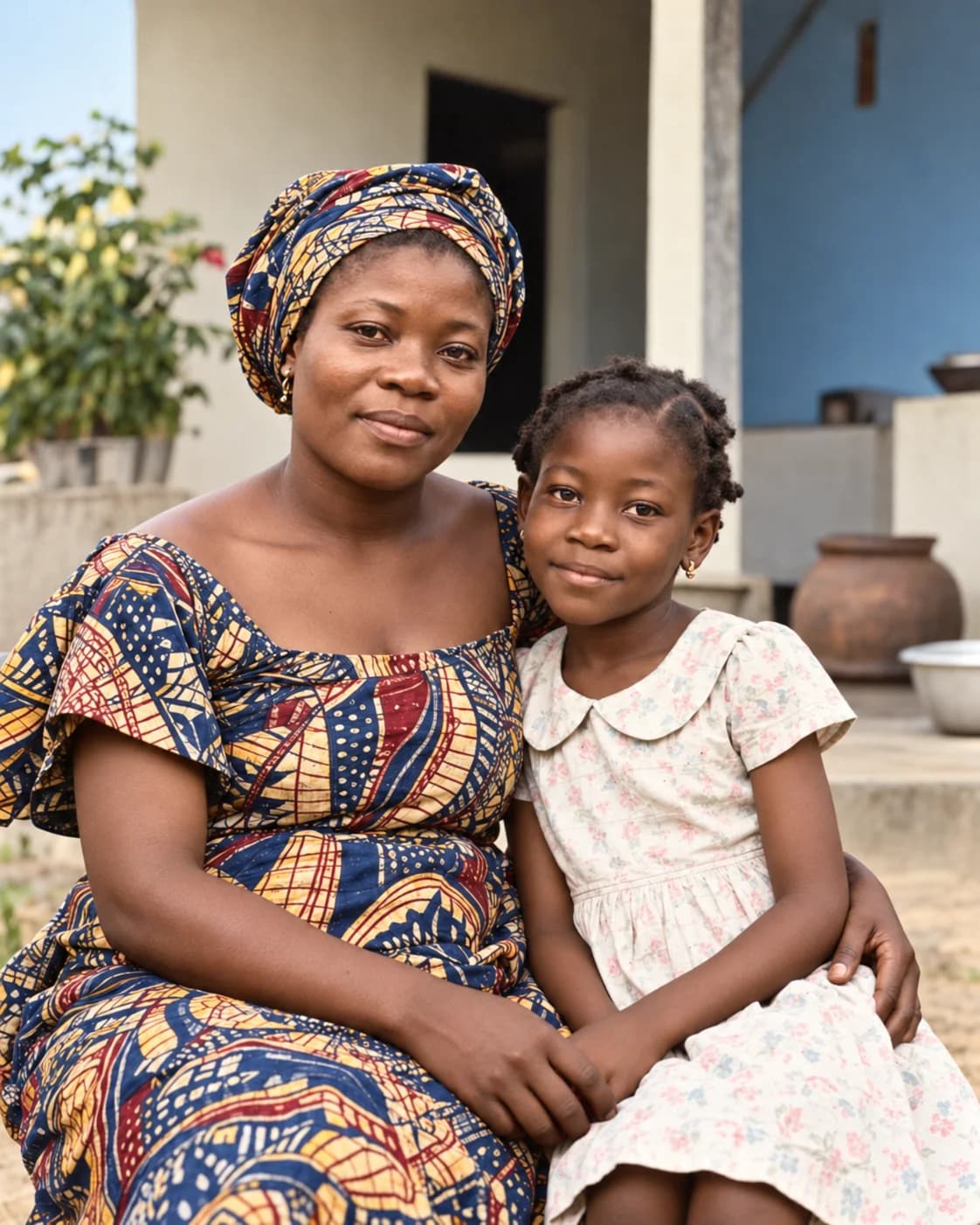
Mother and Daughter Portrait
Repair scratches and fading in a mother-and-daughter portrait while keeping their expressions natural.
Upload one photo and get 1 welcome credit to preview a 1K restoration for free. Choose a higher resolution only when you are ready.
Upload one photo and preview the restoration for free
Sign up for 1 welcome credit and try one 1K restoration for freeBeforeAfterAI preserves the subject's identity, era character, and original composition. It only repairs damage, scratches, and blur.
BeforeAfterRepair scratches and fading in a mother-and-daughter portrait while keeping their expressions natural.
 BeforeAfter
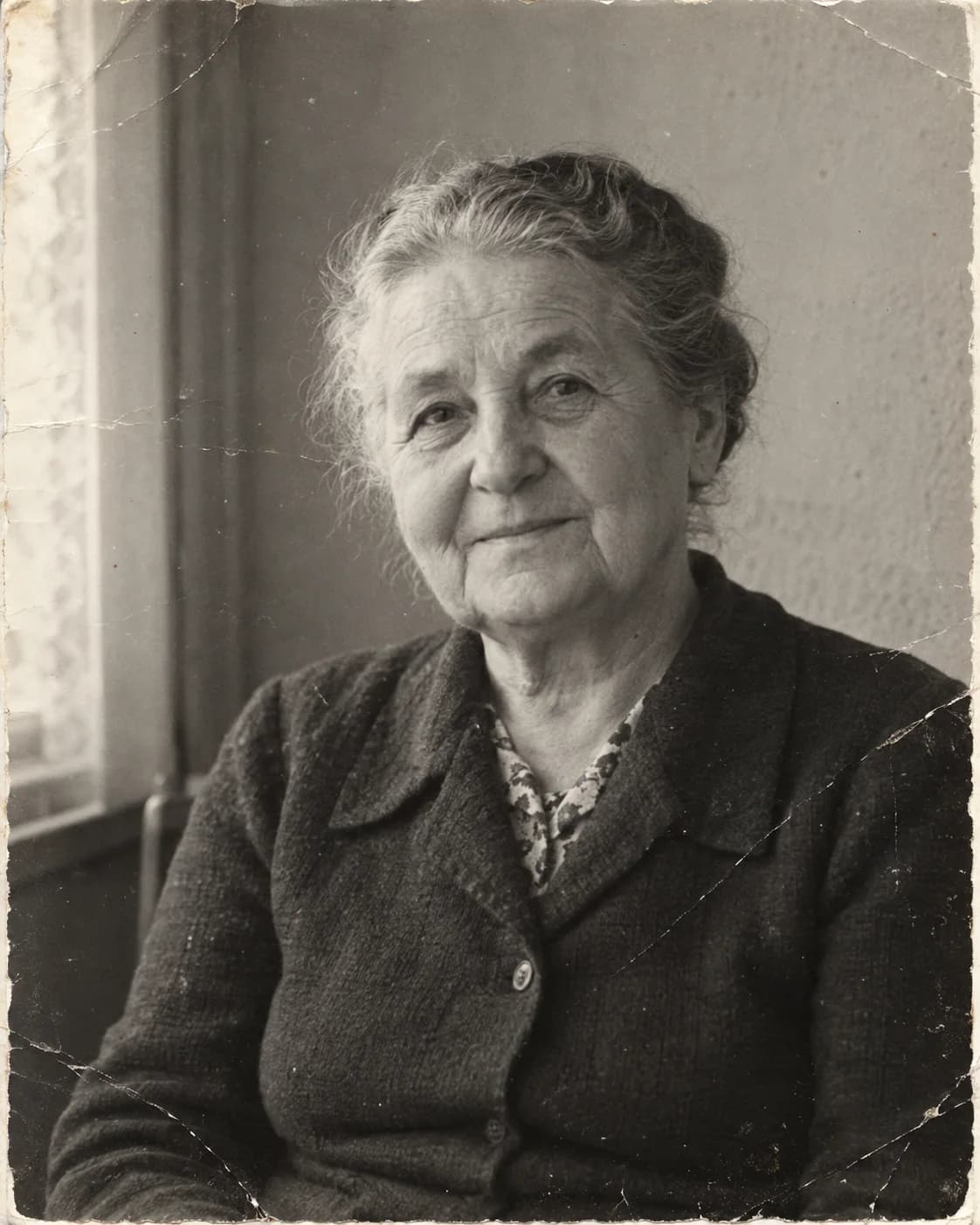
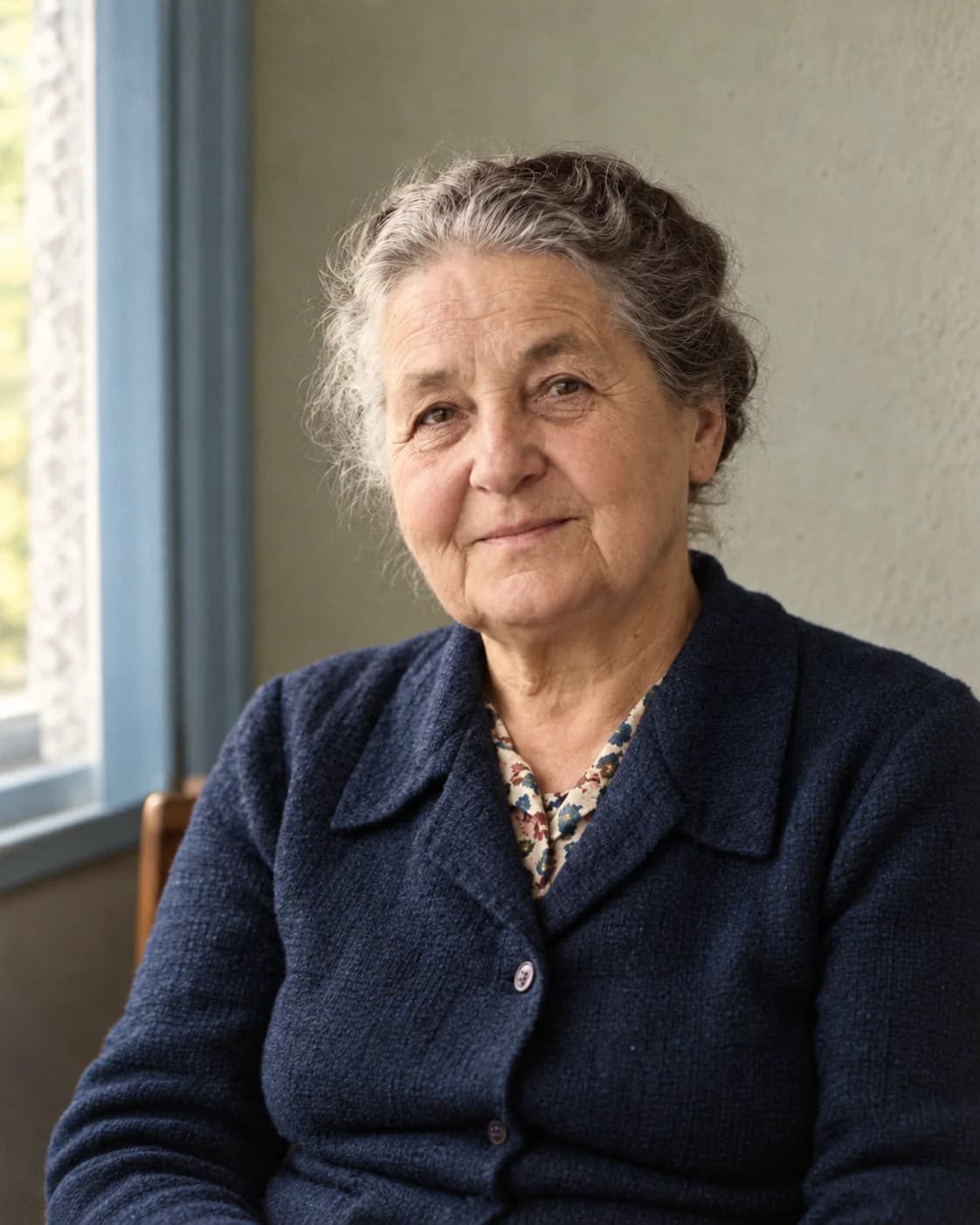
Clear haze and creases from an older woman's portrait while preserving age and facial detail.
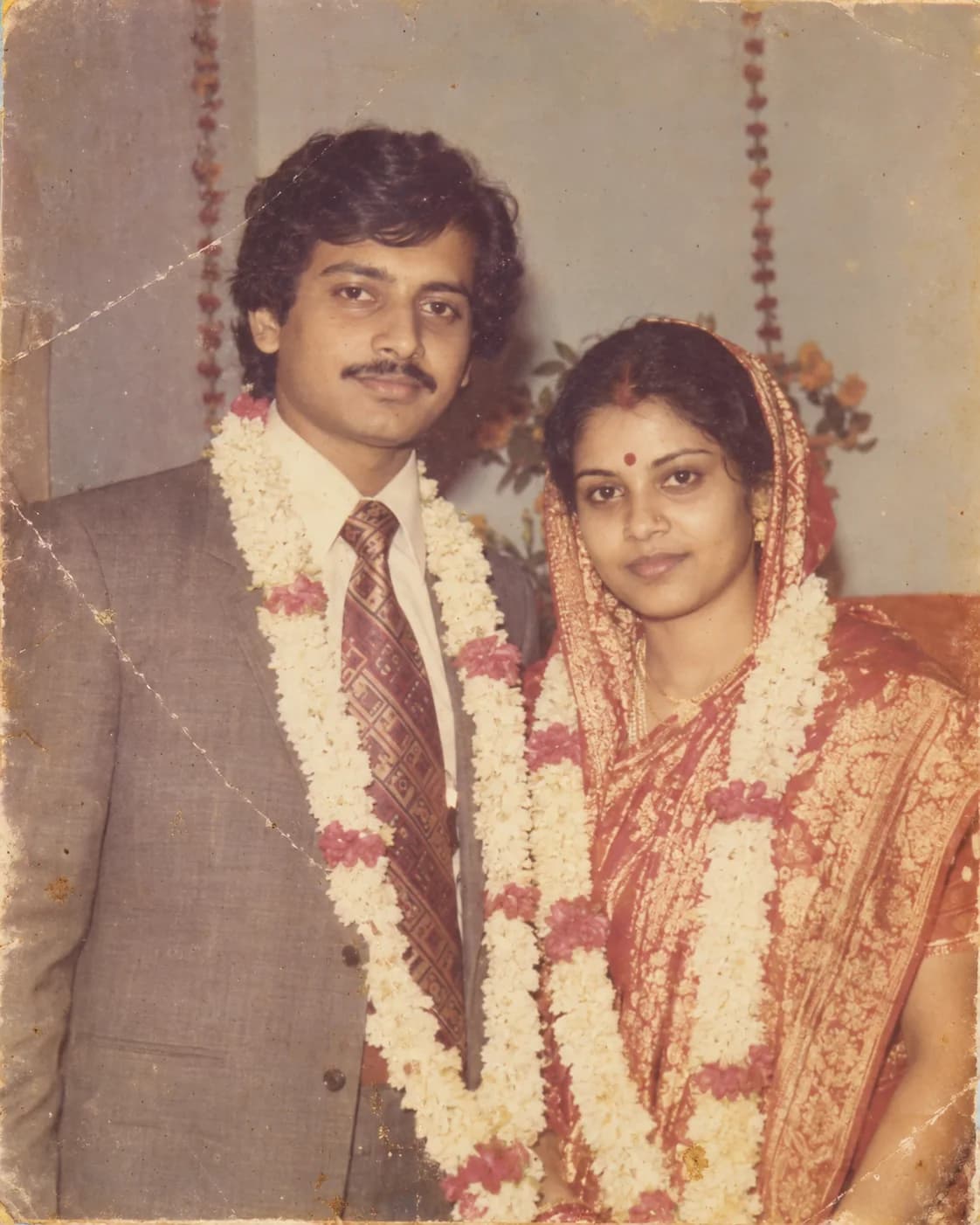
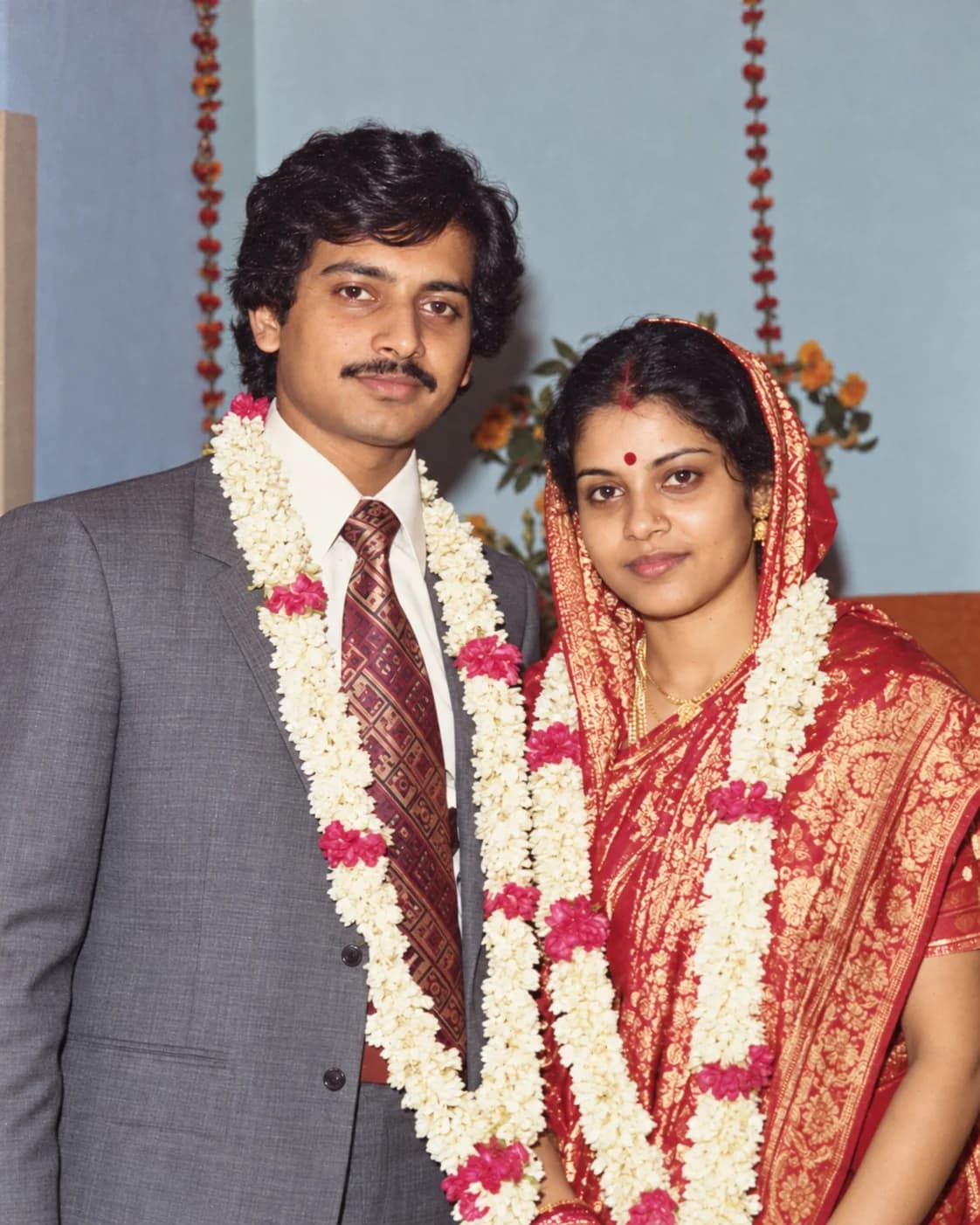 BeforeAfter
Restore yellowing and scratches in a South Asian wedding portrait while recovering clothing and garland colors.
No software needed. Upload in your browser and get a clear, downloadable result in seconds.
Upload the old photo you want to restore
Select a mode and AI handles the rest
Compare results and save in HD
From family portraits to historical images, let every cherished memory come back into focus.
Restore family photos Preserve warm memories
Restore parents' photos Revive their natural look
Restore wedding photos Relive beautiful moments
Restore old albums & buildings Preserve precious history
Whether you need to restore old photos online, repair damaged photos, fix blurry old photos, or colorize black-and-white images, you can upload one photo and preview the result.
Repair paper cracks, scan scratches, torn edges, and visible marks while keeping the original composition.
Improve yellowed, low-contrast, and faded family photos so faces and scene details are easier to see.
Reduce blur, haze, and noise to make facial features, clothing textures, and background details clearer.
Add restrained, natural color to black-and-white portraits, childhood photos, and historical images.
Restore old ID photos, parent portraits, graduation photos, and individual portraits without replacing faces.
Enhance group photos, wedding memories, and family portraits for archiving, sharing, and printing.
Credits are billed by output resolution: 1K Standard 1 credit · 2K HD 3 credits · 4K Ultra 12 credits. Pay as you go — no subscription, credits never expire.
Just $0.14 per credit
Payment Methods
All plans are one-time purchases, no auto-renewal. Includes HD output & 24h auto file deletion. Prices in USD.
Your photos are used only for restoration, nothing else
End-to-end encryption for all transmission and storage
Files are automatically deleted within 24 hours after restoration
We never share or publish your photo content
Have more questions? Feel free to contact us anytime.
Old photos that are yellowed, faded, scratched, lightly to moderately damaged, or blurry can all be restored. The lighter the damage, the more natural the results.
AI repairs scratches, noise, and fading while preserving the original composition and subject features — it makes the image clearer, not a completely new photo.
Not intentionally. The model aims to 'restore,' preserving the subject's identity, facial structure, and expression while avoiding over-beautification.
No. Photos are used only for this restoration, are not shared or published, and will be automatically deleted within 24 hours.
JPG, PNG, and WEBP formats are supported, with a maximum file size of 20 MB per image.
Typically a few tens of seconds, depending on image size and selected output resolution.
The current version focuses on single-image restoration. Batch processing is in planning — stay tuned.
After purchasing credits, contact support to request an electronic invoice for the corresponding amount.