
Upload a JPG, PNG, or WEBP photo
Restore Old Photos Online with AI
Bring faded family photographs back into view. PhotoRevive repairs common age damage while aiming to preserve the people, clothing, and original composition in your photo.
Photos are automatically deleted within 24 hoursWhat you can improve
- Repair scratches, dust, stains, and cracks
- Improve faded contrast and mild blur
- Preview the result before buying
- Uploads are private and deleted within 24 hours
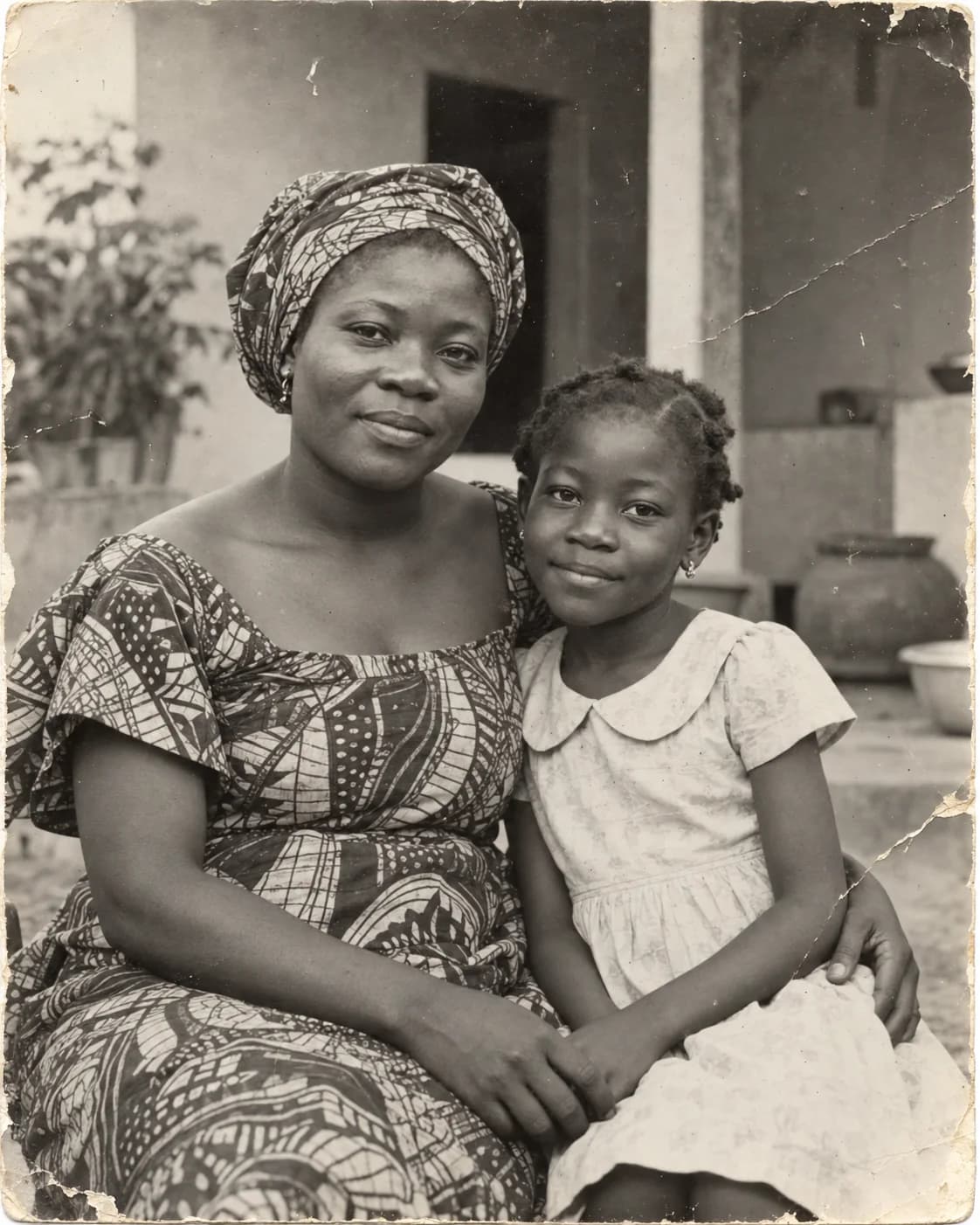
 BeforeAfter
‹ ›
Restore a photo in three steps
Choose a restoration mode and preview the result
Download the finished image when you are ready
Common questions
Can I preview a restoration for free?
Yes. Upload a photo to preview the result before purchasing credits for additional restorations.
Will the service change the people in my photo?
The restoration is designed to keep the original people and composition while repairing visible damage. AI results can vary, so review the preview before using it.
How long are uploaded photos stored?
Uploaded photos are used to process your request and are automatically deleted from our servers within 24 hours.